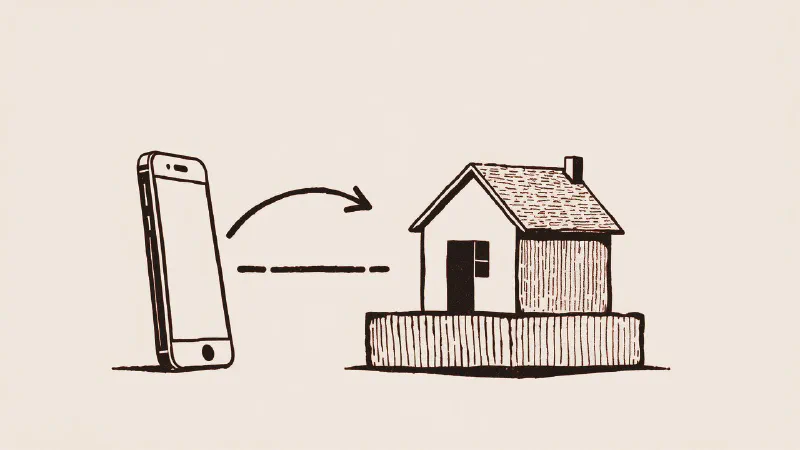
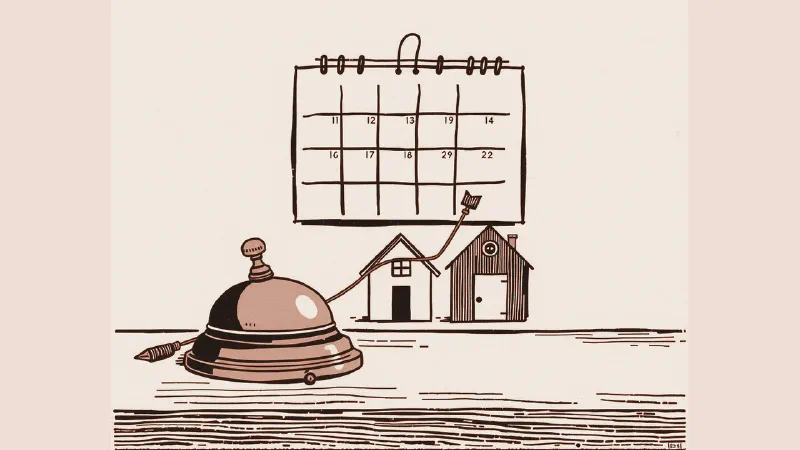
Google Hotel Ads for small hotels and vacation rentals: how they work and what you need
Search for your hotel’s name on Google and pick two dates. Next to the photos and reviews, a list of prices appears, one for each site that sells your rooms: usually the booking sites you’re on. Is your own website in that list? If it isn’t, a guest who searched for you by name may book through a booking site instead, and you pay the commission.
Google Hotel Ads are the paid links in that price box, shown when someone looks for a hotel on Google Search or Maps. Next to them sit free booking links, which cost you nothing. Either way, to show your own website’s price, your booking system has to be connected to Google. This guide covers how it works, what you need, how to check whether your booking engine already does it, how the ads are paid, and what to fix first. It’s written for small hotels, B&Bs, agriturismi (farm stays), and vacation rentals in Italy.
What guests see when they search for a hotel on Google
When someone searches for a hotel on Google Search, Google Maps, or YouTube, Google shows a booking module with photos, amenities, prices for the chosen dates, and links to book. In the travel trade this is called hotel metasearch: one place that compares what many sites charge for the same room. The module holds two kinds of links:
- hotel ads, which are paid and ordered by Google’s ad auction;
- free booking links, shown next to the ads and ordered by how useful they are to the person searching.
One of the links may carry an “Official site” badge (if your Google is set to Italian, it reads “Sito ufficiale”). It can go to the hotel owner, direct suppliers, central reservation systems, or integration partners, but never to online travel agencies (OTAs, the booking sites such as Booking.com, Airbnb, and Vrbo). Only one site per hotel gets it.
Free booking links vs Hotel Ads: what’s the difference?
| Free booking links | Hotel Ads | |
|---|---|---|
| Cost | nothing for the clicks | you pay according to the bid strategy you choose |
| Order | usefulness to the person searching: what users prefer, the value of the offer, the landing page experience, and how accurate your prices have been | the ad auction |
| What you need | rates and availability sent to Google through a partner, and a landing page on your website | the same, plus a Google Ads account linked to Hotel Center |
| Where you see results | the reports in Hotel Center | your Google Ads account |
Google makes two things clear: nobody can pay to rank higher among the free booking links, and running hotel ads, or not running them, doesn’t change where you appear among the free ones. So start with free booking links, and add ads later if you need them.
What do you need to show your own price?
Google’s guide for hotel owners has three steps:
- Identify your hotel: a complete Google Business Profile. Google says that once it’s complete, your hotel appears on Google Maps and Search, but without prices.
- Share your rates: a Hotel Center account (Google Hotel Center is where your hotel list, prices, and landing pages are managed) and a connectivity partner that sends your prices and availability. That partner can be your website’s booking engine, your channel manager, your property management system (PMS), or a central reservation system. Google writes that direct integration is currently unavailable due to high demand.
- Run hotel ads, which is optional.
In practice, if your provider already works with Google, you ask it to start sending your rates. If it doesn’t, Google suggests pointing it to its partner guide. If you have no booking system at all, Google has a site for finding a partner, but your first step is a form on your own website where guests pick their dates and book. I explain how those tools differ in channel manager vs booking engine.
Then the prices have to be right. Under Google’s Price Accuracy Policy, the total price shown on Google, with taxes and mandatory fees, must match the one on your booking page. If it doesn’t, your accuracy score drops, and so does your position in the ad auction and among the free booking links. If it drops too far, Google turns off both your ads and your free booking links.
How to check if your booking engine already does it
- Search like a guest. Look up your hotel’s name on Google, pick some dates and read the list of prices. Is your site there? Does it have the “Official site” badge?
- Ask your provider, in writing:
- Are you a Google connectivity partner?
- Do you already send my rates to Google’s free booking links?
- Do you also run hotel ads, and on what terms?
- Who owns the Hotel Center account, and can I see the data?
- Check who has access. It’s better if the data stays yours, or at least visible to you, in case you change provider one day.
Clicks from free booking links don’t show up in your Google Ads account. To tell them apart from ad clicks, Google suggests landing page parameters, which you set in Hotel Center.
Not sure your site appears in Google's price list? Send me your property's name: I'll check, and tell you what to ask your provider.
Google Hotel Ads: cost and how you pay
The amounts depend on the budget you set and on the auction, so this section covers only how you pay. As of November 2026, Google’s bidding overview for hotel ads lists these strategies:
- Manual CPC (cost per click): you set your bid for each click; what you actually pay per click can vary.
- CPC%: you bid a percentage of the room price per night, for each click.
- Target ROAS (return on ad spend): Google adjusts your bids to get the most booking value for what you spend.
- Enhanced CPC: added on top of Manual CPC or CPC%, it aims for higher booking value.
Commission bids, where you paid a percentage of the booking or the stay, have been retired by Google and are no longer among the listed strategies. Hotel ads can also run inside Performance Max for travel goals, an automated campaign type that shows your hotel across Google’s channels, Search, YouTube, and Maps included.
A change is also under way. Google has announced that starting in Q4 2026, hotel campaigns will move to new Search campaigns for Travel, set up with the closest equivalent settings. Google says the exact dates come through your account notifications and email. In the new campaigns, CPC% and Enhanced CPC aren’t available: you bid with manual CPC or with Google’s Smart Bidding.
On top of that, there’s the cost of whoever runs the campaigns, if you don’t do it yourself: your booking engine provider, an agency, or a consultant. Always ask what’s included. And if you want to appear when people search for the area rather than your name, for example “agriturismo with pool Val d’Orcia,” you may also need standard keyword ads. I cover those in Google Ads for hotels in low season.
Vacation rentals and apartments: a different path
For Google, a hotel is a commercial property offering lodging and guest services provided by staff on site. Villas and apartments (vacation rentals, or holiday lets as British owners say) go through Google’s vacation rentals program instead, and that one works only through partners: a registered property management business with its own direct booking website, or listings on a booking site that’s already connected to Google.
Google’s starter guide for property managers is clear about who can’t take part for now: individual homeowners, peer-to-peer rentals, single rooms, and partial homes. Direct integration is for managers with at least 500 properties; for smaller ones, Google strongly recommends one of its approved connectivity providers.
So if you rent out a home privately, your way into Google’s vacation rental results is a booking site that’s connected to Google. If you manage rentals professionally, you connect through an approved provider. For direct bookings, you still have your website and SEO, because a vacation rental on its own can’t have a Google Business Profile either: Google lists vacation homes among the properties that aren’t eligible.
What to fix first
- Your Google Business Profile. Verified, complete, with real photos of the rooms, the common areas, and breakfast. You edit your amenities in the Hotel details section of the profile. The class rating (your hotel’s stars) is set by Google instead, and if it’s wrong you ask Google’s support team to correct it. The full guide is in Google Business Profile for hotels.
- Prices in line with the booking sites. In the box, guests see the prices side by side. If yours is higher than the booking site’s, they’ll probably choose the booking site. A direct booking has to be worth it for the guest, even if the reason is just breakfast included or a more flexible cancellation policy.
- Your booking page. That’s where people land when they click your link. On a phone it has to open fast, show the same price, and complete the booking in a few steps.
- Your photos. In the box, the photos sit right next to the prices. If they don’t show your place as it is, the right price won’t be enough.
The honest limit: it doesn’t replace a website that converts
Hotel Ads and free booking links bring people to your booking page, but they don’t do the rest. They reach people who are already looking for a hotel, often yours. They put you side by side with the booking sites on price. And with ads, every click lost on a slow or confusing page is a click you paid for. If your site doesn’t convince people, no ad will fix it.
For the full picture, start with how to increase direct bookings. An example of a site built to bring in direct inquiries is a tourism project of my own, the site for my guided hikes in Tuscany: I did the photos, the text, the site, and the SEO myself, and the numbers and screenshots are here.
If you want to know whether ads make sense for your property, that’s the work I do in Google Ads and marketing.
If you’d like an opinion on your situation, message me or call me on +39 351 366 3017. You’ll get me, within 24 hours on business days (CET), not a call center or a salesperson. I come in person anywhere in Tuscany for photos and site visits; the rest works remotely, across Italy. The first look is free and doesn’t commit you to anything. If more is needed, before any work starts I send you a written quote that lists what’s included, item by item. If there’s little to fix, I’ll tell you.